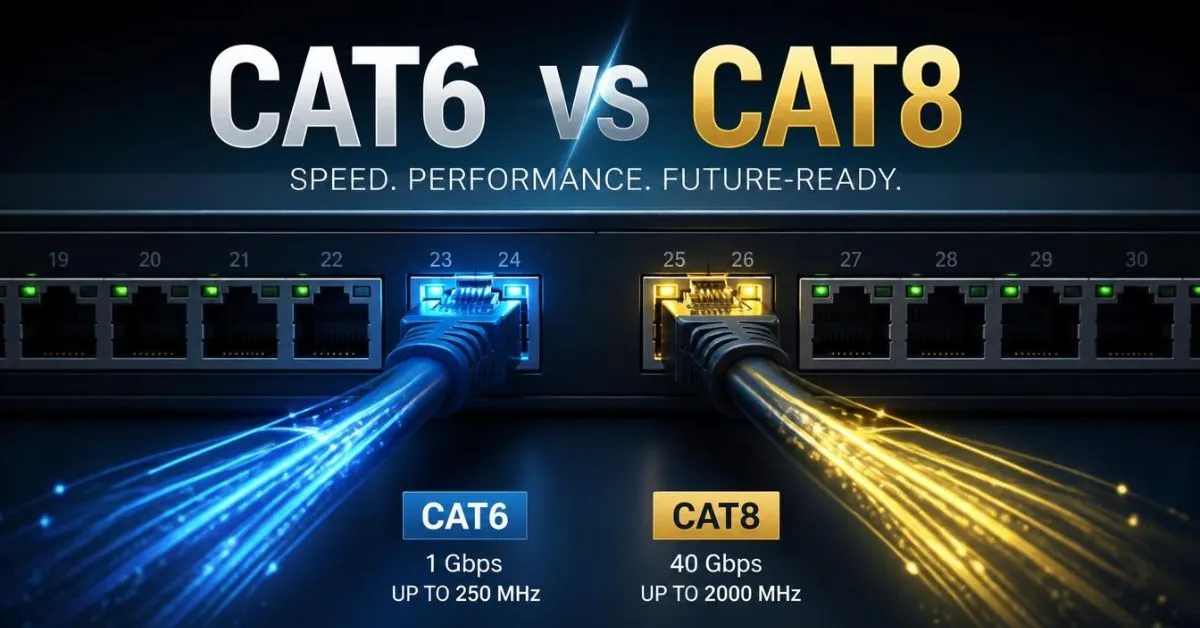
Cat6 vs Cat8 comes down to speed, bandwidth, distance, and intended use. Cat6 is rated to 250 MHz and commonly supports 1GbE, 2.5GbE, 5GbE, and shorter 10GbE links. Cat8 reaches 2,000 MHz and supports 25GbE and 40GbE over channels up to 30 meters, making it primarily useful for short, high-speed network connections.
Key Takeaways
- Cat6: 250 MHz and widely used for home and office networks.
- Cat8: 2,000 MHz and designed for high-speed 25/40GbE applications.
- Cat6 can support 10GbE over shorter distances, with Fluke Networks listing a 35-meter maximum in its comparison.
- Cat6A supports 10GbE up to 100 meters, making it an important alternative to Cat8.
- Cat8’s 25/40GbE applications are limited to a 30-meter channel.
- A higher-category cable does not automatically increase your internet speed.
Cat6 vs Cat8 at a Glance
| Feature | Cat6 | Cat6A | Cat8 |
| Maximum frequency | 250 MHz | 500 MHz | 2,000 MHz |
| 1GbE | Up to 100 m | Up to 100 m | Up to 100 m |
| 10GbE | Shorter runs | Up to 100 m | Supported |
| 25/40GbE | Not supported as the intended category application | Supported in Fluke’s standards table | Up to 30 m |
| Typical role | Home and office LAN | High-performance building cabling | Short high-speed/data-center links |
| Shielding | UTP or shielded options | UTP or shielded options | Shielded |
| Flexibility | Generally easier | More substantial | Generally thicker/stiffer |
| Best question to ask | What speed do I need? | Do I need 10GbE over distance? | Do I actually have 25/40GbE equipment? |
The table reflects standards-oriented comparisons from Fluke Networks and CommScope. Exact performance depends on the complete channel, components, installation, and testing.
What Is Cat6?
Cat6, short for Category 6, is a copper twisted-pair Ethernet cabling category used extensively in residential and commercial networks.
It is specified to 250 MHz and supports standard Ethernet applications including 1000BASE-T. It can also support 2.5GbE and 5GbE over appropriate installations, while 10GBASE-T is intended for shorter Cat6 runs.
For many home networks, Cat6 provides plenty of bandwidth for computers, smart TVs, game consoles, access points, network printers, and other wired devices.
Cat6 Speed and Bandwidth
One important point is that Cat6 does not have one single “speed.”
The cable category describes the electrical performance of the cabling. The actual network speed depends on the Ethernet standard and the equipment connected to both ends.
For example, Cat6 supports:
- 1GbE
- 2.5GbE
- 5GbE
- 10GbE over shorter distances
Fluke Networks lists Cat6 at 250 MHz and supports 2.5/5GbE applications, while 10GBASE-T is limited to shorter runs.
Cat6 Distance
For ordinary gigabit Ethernet, Cat6 can support a 100-meter channel under the applicable cabling requirements.
The situation changes with 10GbE. Fluke Networks lists a 35-meter maximum for 10GBASE-T in its Cat6 comparison, while CommScope lists 37 meters in its Cat6 application table.
That is why Cat6 should not automatically be described as a “100-meter 10Gbps cable.”
Cat6 Use Cases
Cat6 makes sense for many:
- Home networks
- Offices
- Desktop computers
- Gaming systems
- Smart TVs
- Wi-Fi access points
- Network printers
- NAS devices
- Routers and switches
- General LAN connections
If your equipment is limited to 1GbE or 2.5GbE, the additional capability of Cat8 may provide little practical benefit.
What Is Cat8?
Cat8, or Category 8, is a high-performance copper twisted-pair cabling category designed for much higher-frequency Ethernet applications.
It is specified to 2,000 MHz and was developed to support 25GBASE-T and 40GBASE-T.
Unlike ordinary home Ethernet cabling, Cat8 is strongly associated with short high-speed links, particularly data-center connections between servers and switches.
Cat8 Speed and Bandwidth
The headline specification is up to 40Gbps for 40GBASE-T.
Cat8 also supports 25GBASE-T. Its 2,000 MHz specification is far above Cat6’s 250 MHz rating.
However, this does not mean every Cat8 cable automatically gives a computer a 40Gbps connection.
The network equipment still has to support that speed.
Cat8 Distance
Distance is one of the biggest differences between Cat6 and Cat8.
For 25Gbps and 40Gbps applications, Category 8 is specified around a 30-meter channel, with a maximum permanent-link length of 24 meters under the TIA specification described by Fluke Networks.
That makes Cat8 very different from cabling intended for full-length building runs.
Cat8 Use Cases
Cat8 is mainly relevant to:
- Data centers
- Server-to-switch connections
- High-speed storage environments
- Specialized network laboratories
- Short 25GbE connections
- Short 40GbE connections
Fluke Networks specifically describes Category 8 as a data-center-oriented solution for short copper connections.
Cat6 vs Cat8: Key Differences
Speed and Network Standards
Cat8 has a higher maximum network capability.
| Cable | Examples of supported Ethernet |
| Cat6 | 1GbE, 2.5GbE, 5GbE, shorter 10GbE |
| Cat6A | 1GbE, 2.5GbE, 5GbE, 10GbE |
| Cat8 | 1GbE, 2.5GbE, 5GbE, 10GbE, 25GbE, 40GbE |
Fluke Networks’ standards comparison shows Cat6 supporting 10GBASE-T over a limited distance, Cat6A supporting 10GBASE-T, and Cat8 supporting 25/40GBASE-T with the 30-meter limitation.
Bandwidth
The frequency ratings are:
- Cat6: 250 MHz
- Cat6A: 500 MHz
- Cat8: 2,000 MHz
A higher frequency rating is part of what allows the cabling to meet the electrical requirements of faster Ethernet applications.
But MHz should not be confused with internet speed.
250 MHz does not mean 250 Mbps, and 2,000 MHz does not mean 2,000 Mbps.
They describe different characteristics of the cable.
Distance
Distance creates an important difference.
Cat6 is practical for 1GbE over 100 meters, but 10GbE is limited to a shorter run. Cat6A is designed to carry 10GbE over the full 100-meter channel.
Cat8’s major high-speed applications, meanwhile, are designed around a 30-meter channel.
So if you need long-distance 10GbE, Cat8 is not automatically the logical next step.
Shielding and Crosstalk
Cat8 uses a shielded solution and requires careful attention to shield termination during installation.
At higher frequencies, unwanted interference and crosstalk become increasingly important.
This is one reason Cat8 systems require more demanding installation and testing than ordinary home Ethernet.
Installation and Flexibility
Cat6 is generally easier to route through walls, cable channels, desks, and home networking spaces.
Cat8’s more specialized construction can make it less convenient for ordinary residential installations.
That does not make Cat8 unsuitable. It simply means the physical installation should match the reason you are using the cable.
Hardware Compatibility
This is where many buyers make a mistake.
Your network does not become 40Gbps just because you plug in a Cat8 cable.
A complete connection might look like:
Computer → NIC → Ethernet cable → switch → router
Every relevant component must support the desired Ethernet speed.
Fluke Networks also emphasizes that compliant performance depends on the cable, connecting hardware, correct installation, and certification testing.
Cat6 vs Cat8 vs Cat6A
If you are choosing Ethernet cable for a new installation, it can be more useful to compare all three.
Choose Cat6 when:
- You need standard home or office networking.
- Your network uses 1GbE, 2.5GbE, or 5GbE.
- You do not need long-distance 10GbE.
- You want a practical general-purpose cable.
Consider Cat6A when:
- You want 10GbE.
- The cable run can approach 100 meters.
- You are installing permanent structured cabling.
- You want a purpose-built 10GbE solution.
CommScope specifies Cat6A for 10GBASE-T up to 100 meters.
Consider Cat8 when:
- Your equipment supports 25GbE or 40GbE.
- Your high-speed connection is short.
- You are building a specialized high-performance network.
- You have a data-center-style application.
Cat8 is specified for 25/40GbE over a 30-meter channel.
Is Cat8 Better for Home Use?
Cat8 has higher technical specifications, but that does not automatically make it the right home cable.
For a typical home, first identify the speeds supported by your:
- Internet connection
- Router
- Switch
- Computer
- NAS
- Network interface
If those devices use 1GbE or 2.5GbE, Cat6 may already provide the required capability.
If you are building a 10GbE home lab, Cat6A can be worth considering, particularly for longer permanent runs.
Cat8 becomes relevant when the network itself is built around short 25GbE or 40GbE connections.
Cat6 vs Cat8 for Gaming
Gaming is another area where Ethernet cable marketing can become confusing.
A Cat8 cable does not automatically give you lower ping than Cat6.
Ping is influenced by factors such as:
- ISP routing
- Distance to the game server
- Network congestion
- Router behavior
- Local network conditions
- Wi-Fi versus wired connectivity
If your current setup uses a reliable Cat6 Ethernet connection at the required link speed, replacing it with Cat8 does not automatically create a faster route to the game server.
For most gaming setups, the more important question is:
Does your network hardware need more than the speed your current Ethernet link provides?
If the answer is no, Cat8’s maximum 40GbE capability is unlikely to be the factor that changes gaming performance.
Cat6 vs Cat8 for 10GbE and NAS
This is a more realistic situation for a Cat6-to-Cat8 comparison.
Imagine you have:
- A 10GbE NAS
- A 10GbE switch
- A 10GbE network card
- Large video files
- Frequent local backups
Now a faster wired network can matter.
But if the connection needs to cover a long structured-cabling run, Cat6A is particularly important to consider because it is designed to support 10GBASE-T to 100 meters.
If the connection is short and the equipment actually supports 25GbE or 40GbE, Cat8 becomes much more relevant.
Does Cat8 Make Internet Faster?
No.
A cable cannot increase the speed provided by your internet service beyond what the connected hardware can negotiate.
For example, suppose you have:
- 1Gbps internet
- 1Gbps router port
- Cat8 Ethernet cable
The Cat8 cable does not turn the 1Gbps router port into a 40Gbps port.
The same principle applies to a computer.
If your network interface supports only 1GbE, connecting a Cat8 cable will not create a 40GbE connection.
This is why choosing Ethernet cable based only on the largest advertised number can lead to unnecessary spending.
How to Choose the Right Ethernet Cable
Use this simple decision process.
Need ordinary home networking?
Cat6 is a practical option.
Need 2.5GbE or 5GbE?
Cat6 can support these applications over appropriate 100-meter channels, although the installation still needs to meet the relevant requirements.
Need 10GbE over a long run?
Look closely at Cat6A.
Cat6A is specified for 10GbE up to 100 meters.
Need 25GbE or 40GbE?
Check whether your equipment supports those standards and whether the link stays within the 30-meter Cat8 channel limit.
Not sure?
Check your router, switch, and network-card specifications before buying the cable.
The cable should support the network you are building—not a speed your equipment cannot use.
Common Cat6 & Cat8 Buying Mistakes
Mistake 1: Assuming Cat8 automatically means faster internet
It does not. Your ISP and network hardware still determine the actual connection speed.
Mistake 2: Ignoring Cat6A
If your goal is 10GbE over a long run, jumping directly from Cat6 to Cat8 can overlook Cat6A’s role.
Mistake 3: Looking only at the Mbps number
Bandwidth frequency, Ethernet standard, channel length, shielding, and installation quality all matter.
Mistake 4: Buying based only on “future-proofing”
A higher category can provide additional capability, but paying for capabilities your network cannot use does not automatically improve today’s connection.
Mistake 5: Ignoring installation quality
A compliant cable category is only part of the equation. Fluke Networks notes that the cable, connecting hardware, installation, and testing all affect whether a cabling link meets its intended performance.
FAQs:
Is Cat8 better than Cat6?
Cat8 has substantially higher frequency and supports 25GbE and 40GbE applications over short channels. Cat6 is designed for more common networking applications and can support 1GbE, 2.5GbE, 5GbE, and shorter 10GbE links. The appropriate category depends on the network’s speed and distance requirements.
Is Cat8 worth it for home use?
It depends on the equipment. For a normal 1GbE or 2.5GbE home network, Cat6 may already provide sufficient capability. For a specialized home lab using 25GbE or 40GbE equipment over short connections, Cat8 can have a relevant use.
Does Cat8 reduce ping?
Not automatically. Cable category alone does not determine internet latency. Ping is affected by the network path, ISP, router, congestion, and destination server. A stable wired connection can be useful, but moving from Cat6 to Cat8 does not guarantee lower ping.
Can I use Cat8 with a Cat6 device?
Yes. Cat8 uses the familiar 8-position modular/RJ45 interface and was designed to maintain backward compatibility with earlier Ethernet cabling systems. The resulting connection still operates according to the capabilities of the connected equipment.
Is Cat6 enough for 1Gbps internet?
Yes. Cat6 supports 1000BASE-T and is designed for 1GbE over the standard 100-meter channel under applicable cabling requirements.
Is Cat6A better than Cat8 for 10GbE?
For a 10GbE run approaching 100 meters, Cat6A is specifically designed for that use case. Cat8’s major advantage is its support for 25/40GbE over short channels rather than simply being a longer-distance 10GbE upgrade.
Can Cat8 run at 10Gbps?
Yes. Cat8 supports 10GBASE-T and lower Ethernet standards. Fluke Networks notes that Cat8 can support 10Gbps and lower speeds over a full 100-meter channel, while its 25/40GbE application is limited to a 30-meter channel.
Conclusion:
The Cat6 vs Cat8 comparison is less about finding the cable with the biggest number and more about matching the cable to the network.
Cat6 operates at 250 MHz and supports common Ethernet speeds such as 1GbE, 2.5GbE, and 5GbE, along with shorter 10GbE applications.
Cat8 operates at 2,000 MHz and was designed for 25GbE and 40GbE applications over short channels of up to 30 meters.
For long-distance 10GbE, Cat6A is the key alternative, with support for 10GBASE-T up to 100 meters.
So before buying, check three things:
What speed does your equipment support? How long is the cable run? And what network application are you actually building?
Once you answer those questions, choosing between Cat6, Cat6A, and Cat8 becomes much easier.

Harry Jack is a content writer at ReplyGenius.com who specializes in practical, natural sounding replies for texts, social media, relationships, and everyday conversations.