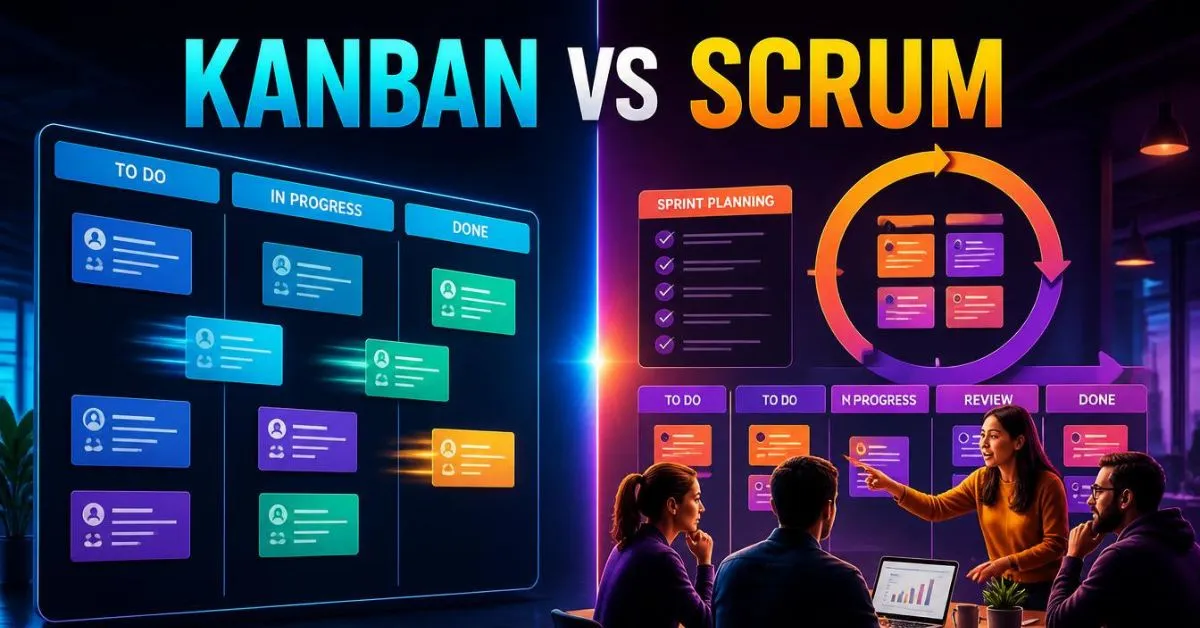
Kanban vs Scrum comes down to how a team plans work, handles change, and delivers results. Kanban focuses on a steady flow of work, clear work rules, and limits on unfinished tasks.
Scrum uses short Sprints, a shared goal, and regular feedback. Both can help teams improve, but the best choice depends on the work, the team, and its needs.
Key Takeaways
- Kanban helps teams manage a steady flow of work and spot delays.
- Scrum helps teams work toward a shared goal in short Sprints.
- Kanban uses work-in-progress limits to control active work.
- Scrum defines accountabilities, events, and a clear work cycle.
- Both methods can support software development and other types of work.
- Scrum teams can add Kanban practices without dropping Scrum’s core rules.
What Is the Difference Between Kanban & Scrum?
Kanban and Scrum are two ways to manage work and improve results. The main difference is how they organize that work.
Kanban is a method for managing the flow of work. It makes tasks visible, limits active work, and helps teams find delays. A team pulls in new work when it has room to handle it.
Scrum is a framework for complex work. It helps a team deliver value in short, fixed-length Sprints. Each Sprint has a goal, a plan, and regular chances to review results and improve.
Kanban does not require Sprints or Scrum’s formal accountabilities. Scrum requires its core accountabilities and events, but a Scrum team can also use a Kanban board and flow measures.
In simple terms, Kanban helps control how work moves. Scrum gives a team a set structure for planning, learning, and delivering value.
Kanban vs Scrum: Key Differences
| Feature | Kanban | Scrum |
|---|---|---|
| Main focus | Smooth flow of work | Value through Sprints |
| Work cycle | Continuous flow | Fixed-length Sprints |
| Planning | Replenish work as capacity opens | Plan work for each Sprint |
| Main goal | Improve flow and delivery | Meet the Sprint Goal and deliver value |
| Accountabilities | No required Scrum-style accountabilities | Product Owner, Scrum Master, and Developers |
| Meetings and events | No required set of Scrum events | Five defined Scrum events |
| Work limits | Uses explicit WIP limits | Can add WIP limits to control flow |
| Priority changes | Can change under clear work rules | Must protect the Sprint Goal |
| Delivery | Release work when ready and allowed | Deliver a usable Increment at least once per Sprint |
| Common measures | Cycle time, throughput, and work item age | Sprint progress, product results, and flow measures |
| Best fit | Ongoing work and changing demand | Complex work that benefits from a shared goal and regular feedback |
Neither method guarantees better results. Both need clear goals, good teamwork, and regular improvement.
How Does Kanban Work?
Kanban makes the steps in a work process visible. A team uses a board to show where each task stands and where work may be getting stuck.
A simple Kanban board might have these columns:
- Ready
- In Progress
- Testing
- Done
Each task appears as a card. Team members move the card as work moves through the process.
Teams should set columns that match their real workflow. For example, a team may add a Review column if work often waits for approval.
What Are Work-in-Progress Limits?
Work in progress (WIP) means tasks that have started but are not yet finished. A WIP limit sets the maximum number of active tasks allowed in a part of the workflow or across the system.
For example, a team may allow only three tasks in Testing at once. If all three spaces are full, the team focuses on finishing or unblocking those tasks before sending more work into Testing.
This can reduce multitasking and reveal delays. It also helps the team finish work instead of starting too many tasks at once.
WIP limits work best when the team also sets clear rules for starting, moving, and finishing tasks. A board alone will not fix a slow process.
Kanban Example
Imagine a support team that receives customer problems every day. Some requests are urgent, while others can wait.
The team places each request on its board, sorts the work by agreed rules, and starts new tasks when it has capacity. If too many requests are waiting for review, the team can see the problem and work to clear it.
When a fix meets the required standards, the team can release it according to its release rules. It does not need to wait for a Sprint to end.
Kanban can fit this type of work because requests arrive throughout the day and priorities may change.
How Does Scrum Work?
Scrum helps a team work toward a shared goal through short Sprints. A Sprint lasts one month or less.
Scrum defines three accountabilities:
- Product Owner: Helps maximize product value and is accountable for effective Product Backlog management.
- Scrum Master: Helps the team use Scrum well and improve how it works.
- Developers: Plan and carry out the work needed to create a usable product Increment that meets the Definition of Done.
These are accountabilities, not fixed job titles. One person may hold a role in their company, but the Scrum Guide defines the responsibilities that come with each accountability.
What Are the Five Scrum Events?
Scrum has five events, including the Sprint itself.
- Sprint: The fixed-length period in which the team works toward a Sprint Goal.
- Sprint Planning: The team sets the Sprint Goal and plans the work.
- Daily Scrum: Developers check progress toward the goal and adjust their plan.
- Sprint Review: The team and stakeholders inspect the result and discuss what to do next.
- Sprint Retrospective: The team looks for ways to improve its work.
The team also uses a Product Backlog to track needed work. The Sprint Backlog holds the Sprint Goal, selected work, and the plan for delivering it.
During the Sprint, the team checks its progress and adapts as needed. New information may change the work plan, but changes must not put the Sprint Goal at risk.
A usable product Increment must be created at least once per Sprint. The team can release completed work sooner if it is ready and release rules allow it.
Scrum Example
Imagine a team building an online shopping app. Its Sprint Goal is to let customers save products to a wish list.
During Sprint Planning, the team agrees on the goal and chooses work that supports it. Developers then build and test the feature. They check that it meets the Definition of Done, which sets the quality standard for a usable Increment.
At the Sprint Review, the team and stakeholders inspect the result and discuss what they learned. At the Sprint Retrospective, the team looks at how it worked and chooses ways to improve.
Scrum gives the team a regular cycle for building, reviewing, and improving the product.
Kanban vs Scrum: Pros & Cons
Benefits of Kanban
- Shows work status at a glance.
- Supports a steady flow of tasks.
- Makes delays and bottlenecks easier to spot.
- Helps control unfinished work.
- Can improve an existing process without adopting the full Scrum framework.
Kanban Cons
- Weak work rules can cause confusion about priorities.
- Too much active work can slow delivery.
- Teams may lose sight of larger goals without regular reviews.
- A board cannot fix a lack of staff, skills, or decision-making support.
Scrum Pros
- Gives the team a clear goal for each Sprint.
- Creates regular chances for feedback.
- Defines accountabilities and events.
- Helps teams learn from each product Increment.
- Supports ongoing product improvement through review and adaptation.
Scrum Cons
- Requires the team to learn and follow its core rules.
- Frequent urgent requests can make Sprint planning harder.
- Poor planning can put the Sprint Goal at risk.
- Teams may focus on finishing tasks instead of delivering real value.
Neither approach is always easier or faster. The result depends on the work, the team’s skills, and how well it uses the method.
When Should You Choose Kanban or Scrum?
The best choice depends on how work arrives, how often priorities change, and what kind of planning helps the team succeed.
Choose Kanban When
- New requests arrive throughout the day.
- The team handles support, maintenance, or operations work.
- Priorities often change.
- You need to see where work waits or gets blocked.
- You want to improve an existing workflow step by step.
For example, an IT support team may need to handle new issues as they arrive. Kanban helps the team see active work, control its workload, and spot delays.
Choose Scrum When
- The team is building or improving a complex product.
- A shared goal helps guide the work.
- The team can plan work in short periods.
- Regular product feedback helps shape future work.
- The team needs a set cycle for review and improvement.
For example, a product team may use Scrum to build a new feature, test it, review the result, and use feedback to guide the next Sprint.
Quick Decision Guide
| Your team’s main need | A good starting choice |
|---|---|
| Handle a steady stream of incoming requests | Kanban |
| Reduce too much active work | Kanban |
| Make workflow delays visible | Kanban |
| Work toward a clear goal in short cycles | Scrum |
| Review product results on a regular schedule | Scrum |
| Keep Scrum while improving work flow | Scrum with Kanban practices |
These are starting points, not strict rules. Both approaches can work in many settings. A team should choose based on its real needs, not just its department or job title.
Can You Use Kanban & Scrum Together?
Yes. A Scrum team can use Kanban practices to improve the flow of work. Scrum.org calls this approach Scrum with Kanban.
The team keeps Scrum’s Sprint, Sprint Goal, accountabilities, and events. It can also use a visual workflow, WIP limits, and flow measures.
Four useful flow measures are:
- Work in progress: The number of started tasks that are not finished.
- Cycle time: The time from when a task starts until it finishes.
- Work item age: How long a task that is still active has been in progress.
- Throughput: The number of tasks finished in a set period.
These measures help teams find delays and see whether changes improve flow. For example, if cycle time rises, the team can check whether too much work is active or tasks are stuck in review.
Teams may also use the term Scrumban for a hybrid approach that combines selected Scrum and Kanban practices. The exact mix can vary, so teams should agree on clear rules and check whether the approach helps them deliver value.
For guidance, see the Kanban Guide for Scrum Teams.
FAQs:
Is Kanban better than Scrum?
Neither is always better. Kanban can suit teams with ongoing work and changing priorities. Scrum can suit teams that benefit from a shared Sprint Goal and regular product feedback. The right choice depends on the work and the problems the team needs to solve.
Does Kanban use Sprints?
No. Kanban does not require Sprints. Work moves through the workflow as capacity becomes available. A Kanban team can still hold regular meetings and plan its work, but it does not need Scrum’s fixed Sprint cycle.
Which is better for software development?
Both can work well. Scrum can help teams build complex products through regular planning and feedback. Kanban can help teams manage support, maintenance, bug fixes, and continuous work. Some software teams use Scrum with Kanban practices.
Is Kanban easier than Scrum?
Kanban may be easier to start because a team can map its current workflow and set work limits. Scrum requires the team to learn its accountabilities, events, and other core elements. However, Kanban still needs clear rules, teamwork, and regular improvement.
What is the difference between a Kanban board and a Scrum board?
A Kanban board shows how work moves through an ongoing workflow. It often uses WIP limits to control active tasks. A Scrum board usually shows work selected for the current Sprint and progress toward the Sprint Goal. Neither board has one required layout, and Scrum does not require a separate Scrum board.
Can Kanban teams have deadlines?
Yes. Kanban does not remove deadlines. Teams can set due dates, service targets, and release rules while managing work as a continuous flow. Kanban helps teams see how work moves and where delays occur.
Can a Scrum team change priorities during a Sprint?
Yes, but changes must not endanger the Sprint Goal. The scope can be clarified and renegotiated with the Product Owner as the team learns more. This lets the team adapt without losing sight of the goal.
Conclusion:
Kanban vs Scrum is not about finding one method that works for every team. Kanban focuses on flow, work limits, and continuous work. Scrum focuses on Sprints, a shared goal, and regular feedback.
Choose Kanban when your main need is to manage incoming work and reduce delays. Choose Scrum when your team benefits from a clear product goal and a regular cycle for learning.
You can also use Kanban practices within Scrum to improve flow while keeping Scrum’s core framework.

Harry Jack is a content writer at ReplyGenius.com who specializes in practical, natural sounding replies for texts, social media, relationships, and everyday conversations.