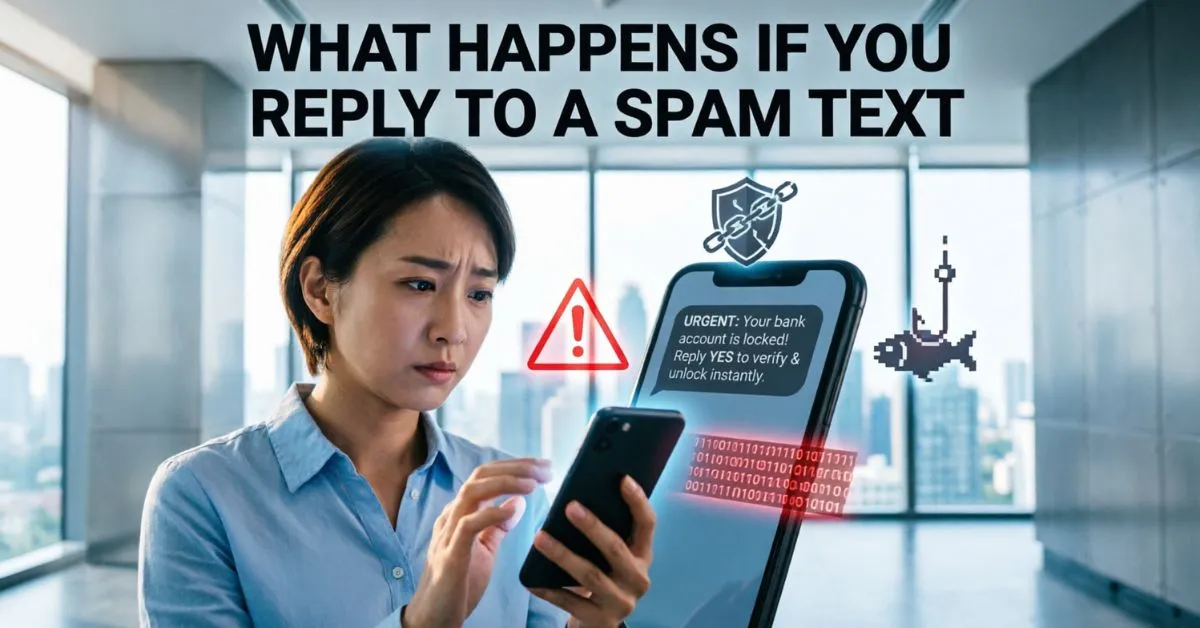
What Happens If You Reply To A Spam Text? I asked myself this question after receiving a suspicious message that claimed I had won a prize. The text looked real, so I replied out of curiosity.
Soon after, I noticed more messages arriving from unknown numbers, and that’s when I realized I had made a mistake. 😟 From my experience, replying to a spam text can tell scammers that your phone number is active and monitored by a real person.
Once they know someone is responding, they may send more spam messages, phishing links, or scam offers. To stay safe, I immediately stopped replying, blocked the number, and reported the message as spam. 🔒
Since then, I never respond to suspicious texts. If you receive one, ignoring, blocking, and reporting it is usually the safest way to protect your personal information and avoid future scams.
What Is A Spam Text Message?
A spam text message is an unwanted message sent to your phone. These messages are often sent in bulk to thousands or even millions of numbers.
Spam texts may:
- Advertise products or services
- Promote fake offers
- Request personal information
- Contain malicious links
- Pretend to be from trusted companies
Common Examples of Spam Texts
- “You’ve won a $500 gift card!”
- “Your package delivery failed. Click here.”
- “Your bank account has been locked.”
- “Claim your tax refund now.”
- “Urgent action required.”
Many of these messages are part of a larger phishing scam designed to steal information.
What Happens If You Reply To A Spam Text?
The short answer is simple: replying can confirm that your phone number is active.
While a single reply may not always cause immediate harm, it can create several risks.
Your Number Gets Marked as Active
Scammers often send messages to random phone numbers.
When you reply, you tell the sender:
“This number belongs to a real person.”
As a result, your number may be added to lists of active phone numbers.
You May Receive More Spam Messages
Once scammers know your number works, they may:
- Send more spam texts
- Sell your number to other scammers
- Target you with different scams
This often leads to a significant increase in unwanted messages.
You Could Become a Target for Future Scams
Replying shows engagement.
Scammers may assume you are more likely to respond again.
This can make you a target for:
- Fake bank alerts
- IRS scams
- Delivery scams
- Tech support scams
- Romance scams
Is Replying “STOP” Safe?
Many people wonder if replying with “STOP” is a good idea.
When It Is Safe
Legitimate businesses often follow texting regulations.
Examples include:
- Retail stores
- Airlines
- Banks
- Subscription services
In these cases, replying “STOP” usually removes you from the list.
When It Is Not Safe
If the message comes from a scammer, replying “STOP” may:
- Confirm your number is active
- Trigger more spam messages
- Verify your engagement
Therefore, only use “STOP” when you are certain the sender is legitimate.
Can Replying To A Spam Text Hack Your Phone?
This is one of the biggest concerns people have.
The Good News
Simply replying to a text message usually does not hack your phone.
Sending a basic reply alone generally cannot install malware.
The Real Danger
The risk comes when you:
- Click suspicious links
- Download attachments
- Enter personal information
- Install unknown apps
These actions can expose your device to malware, spyware, or phishing attacks.
What If You Click A Link In A Spam Text?
Clicking a spam link is much riskier than replying.
Possible Consequences
Phishing Websites
Scammers may direct you to fake websites that look real.
These sites may ask for:
- Passwords
- Credit card details
- Social Security numbers
- Banking information
Malware Installation
Some links can attempt to install malicious software.
This malware may:
- Track activity
- Steal information
- Display unwanted ads
- Slow down your phone
Fake Login Pages
Cybercriminals often copy trusted websites.
For example:
- Banks
- Delivery companies
- Streaming services
- Government agencies
Users may unknowingly enter sensitive information.
Can Scammers Steal Your Identity Through Spam Texts?
Yes, identity theft is a major risk.
Information Scammers Want
Scammers commonly seek:
- Full name
- Address
- Email address
- Banking details
- Social Security number
- Login credentials
How Identity Theft Happens
Once criminals collect enough information, they may:
- Open accounts in your name
- Apply for loans
- Access financial accounts
- Commit fraud
This is why experts recommend never sharing personal information through text messages.
Warning Signs of A Spam Text
Recognizing spam texts is one of the best ways to stay safe.
Poor Grammar and Spelling
Many scam messages contain:
- Misspellings
- Strange wording
- Unusual formatting
Urgent Language
Scammers often create panic.
Examples include:
- “Act now!”
- “Immediate action required!”
- “Your account will be suspended!”
Suspicious Links
Watch for:
- Shortened URLs
- Misspelled domains
- Unfamiliar websites
Requests for Personal Information
Legitimate companies rarely ask for sensitive information through text messages.
Offers That Sound Too Good to Be True
Examples:
- Free vacations
- Large cash prizes
- Gift cards
- Unexpected rewards
If it sounds unbelievable, it probably is.
Common Types of Spam Text Scams
Package Delivery Scams
These messages claim there is a problem with a shipment.
They often include fake tracking links.
Bank Fraud Alerts
Scammers pretend to be your bank and ask you to verify account details.
Government Impersonation Scams
Fraudsters may claim to represent:
- IRS
- Social Security Administration
- State agencies
Job Offer Scams
Fake recruiters promise easy work and high pay.
Prize and Sweepstakes Scams
Victims are told they have won something but must provide information first.
Account Verification Scams
Scammers ask users to verify accounts by clicking links.
What Should You Do If You Replied To A Spam Text?
Don’t panic.
A simple reply does not automatically mean your information has been compromised.
Step 1: Stop Responding
Do not continue the conversation.
Further engagement may encourage scammers.
Step 2: Block the Number
Most smartphones allow you to block unwanted senders.
Blocking helps reduce future messages.
Step 3: Report the Message
You can report spam texts to:
- Your mobile carrier
- Federal Trade Commission (FTC)
- Spam reporting services
Step 4: Monitor Your Accounts
If you shared personal information, watch for:
- Unauthorized transactions
- Password reset emails
- Account changes
Step 5: Change Passwords if Necessary
If you entered credentials on a suspicious website:
- Change passwords immediately
- Enable two-factor authentication
How To Block Spam Text Messages
On iPhone
- Open the message.
- Tap the sender.
- Select information.
- Tap Block Caller.
On Android
- Open the conversation.
- Tap the menu icon.
- Choose Block or Report Spam.
Most carriers also offer spam protection tools.
How Mobile Carriers Help Stop Spam Texts
Major U.S. carriers provide spam protection features.
These tools can:
- Detect suspicious texts
- Block known scammers
- Warn users about risky messages
Many carriers now use advanced filtering technology to reduce spam before it reaches customers.
Statistics About Spam Text Messages
Spam texting remains a growing problem.
Recent industry reports show:
- Billions of spam texts are sent every month.
- Mobile phishing attacks continue to increase each year.
- Text message scams often achieve higher response rates than email scams.
- Consumers lose millions of dollars annually to text-based fraud.
These numbers highlight why awareness is important.
Best Practices To Protect Yourself From Spam Texts
Never Share Personal Information
Do not provide:
- Passwords
- Banking details
- Social Security numbers
Verify The Sender
Contact companies directly through official websites or phone numbers.
Avoid Clicking Unknown Links
If unsure, do not click.
Use Spam Filters
Enable spam protection on your device and carrier account.
Keep Your Phone Updated
Software updates often include security improvements.
Enable Two-Factor Authentication
This adds another layer of protection to your accounts.
FAQs:
Q1. What happens if you reply to a spam text?
Replying can confirm that your number is active. This may result in more spam messages and future scam attempts.
Q2. Can replying to a spam text infect my phone?
Generally, no. A simple text reply does not usually infect your phone. The greater risk comes from clicking malicious links or downloading attachments.
Q3. Should I reply STOP to spam texts?
Only if the message comes from a legitimate business. For suspicious messages, replying may confirm your number is active.
Q4. Can scammers steal my identity through text messages?
Yes. If you share personal information through scam texts, criminals may use it for identity theft or fraud.
Q5. What should I do after replying to a spam text?
Stop responding, block the sender, monitor your accounts, and report the message if necessary.
Q6. How can I reduce spam texts?
Use spam filters, block suspicious numbers, avoid sharing your phone number publicly, and enable carrier spam protection.
Q7. Is it safe to open a spam text?
Opening a text is usually safe. However, do not click links, download files, or provide information.
Conclusion:
So, What Happens If You Reply To A Spam Text? In many cases, your phone number gets flagged as active, which can lead to more spam and scam attempts. While a simple reply may not immediately harm your device, the risks increase when you click links, download attachments, or share personal information.
The safest approach is to avoid engaging with suspicious messages altogether. Block the sender, report the text, and stay alert for common scam tactics. By following basic security practices, you can protect your identity, finances, and personal data from cybercriminals.

Aiden Robert, an author at ReplyyGenius.com, where I share smart conversation tips, flirty replies, and practical communication ideas to help people reply with confidence.